

Containers and CI/CD are not limited to application development; they are increasingly used in network services and devices to simplify deployment, testing, and management, especially in network automation. This lesson explores their definitions, capabilities, and roles in modern network automation
There are different container technologies, such as Docker, Podman, and LXC, as well as different CI/CD platforms like GitLab CI/CD, Jenkins, GitHub Actions, and others. While the general concepts are similar across these tools, this course will focus specifically on Docker containers and GitLab CI/CD to demonstrate how containers and automation pipelines can be applied in network automation.
Docker Containers in Networking
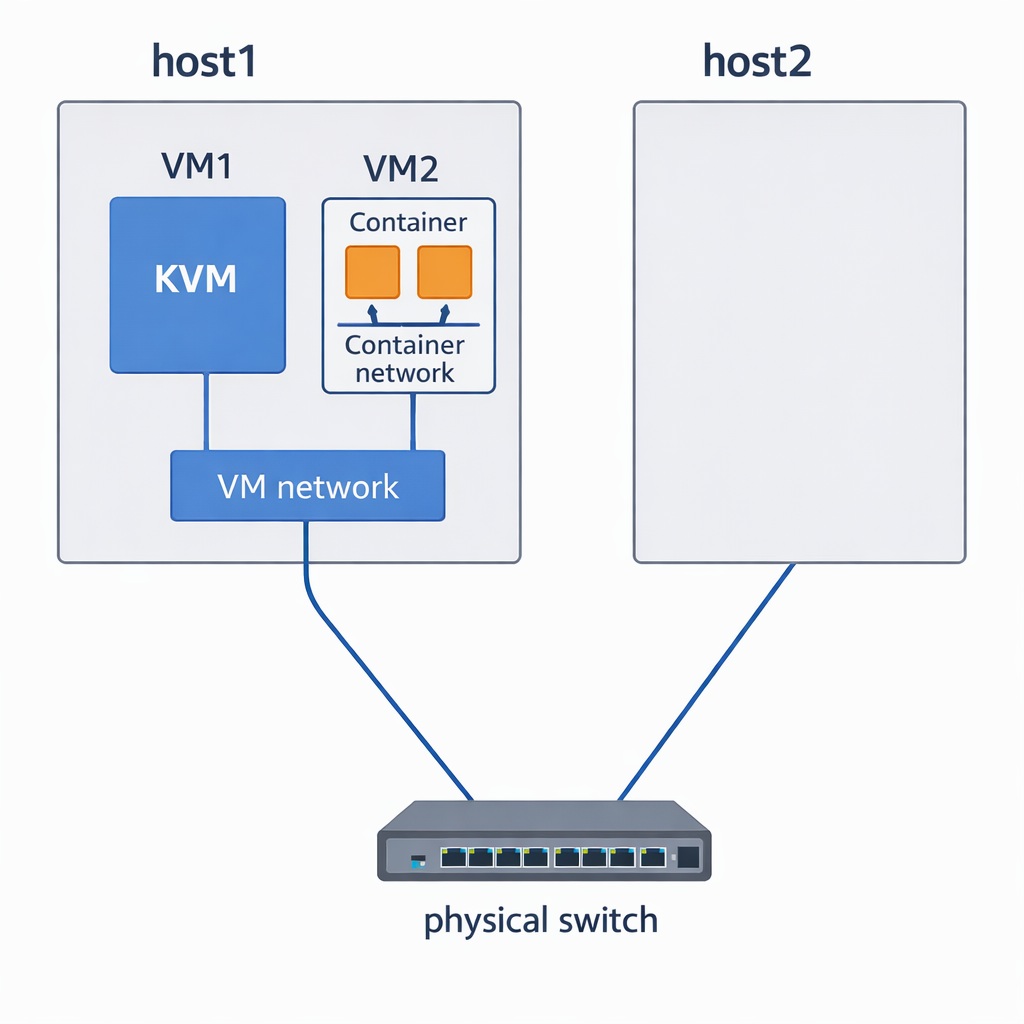
Most network and non-network services today run in virtual environments. These virtualized services have their own network topologies, which must integrate with the physical network. Just as network engineers learned virtualization to integrate virtual services with physical networks, today they need Docker knowledge because many services now run in containers. Each container has its own network stack that interacts with existing virtual and physical network infrastructures.
This shift makes understanding Docker essential for modern network engineers. Containers are not just another deployment method; they shape how services, tools, and applications interact with the network.
Docker Container Short Definition
A Docker container is a lightweight, portable package that bundles an application or service with all its dependencies, allowing it to run consistently across any environment—virtual or physical.
Why Network Engineers Should Learn Docker
Integration with Phsical/Virtualized Environments:
Docker builds on the same principles that made virtualization important. Each container runs an isolated service or application with its own network configuration. These container networks must be integrated with the organization’s virtual and physical network infrastructure to ensure connectivity and proper service operation.Network Appliances Are Increasingly Containerized:
Many modern network devices, such as firewalls, load balancers, and monitoring appliances, are implemented using containers. For example, a commercial firewall might include multiple components—databases, sub-applications, and monitoring tools—each running in its own container. Network engineers cannot effectively deploy, troubleshoot, or manage such devices without understanding Docker and orchestration platforms like Kubernetes.Portable Toolkits for Network Tasks:
Docker allows engineers to create lightweight, portable containers for their own purposes:A network troubleshooting container can include all essential tools such as
ping,traceroute,nslookup,tcpdump, andcurl.A network automation container can include frameworks like Ansible, Python modules such as Netmiko or Nornir, YANG data models, and vendor-specific modules for Cisco or Juniper.
Consistency, Reliability, and Ease of Deployment:
Containers provide repeatable and consistent environments. This reduces configuration errors, ensures that tools and scripts run the same way across different infrastructures, and simplifies scaling or replication of network services.
| Concept | Virtual Machines | Docker Containers |
|---|---|---|
| Purpose | Run multiple OS-level virtual machines | Run multiple isolated applications or services efficiently |
| Network Integration | Virtual networks must integrate with physical network topology | Container networks must integrate with both virtual and physical infrastructures |
| Learning Motivation | Network engineers learned virtualization to manage VMs in the network | Network engineers must learn Docker to manage containerized network services |
| Example | VM hosting a monitoring server | Firewall appliance with multiple sub-applications and databases, each running in its own container |
Evolution: Physical → Virtual → Containerized Services
(Each service/app has its own network stack)
GitLab CI/CD in Network Automation
As network engineers, we can benefit from both Git and CI/CD, especially in the field of network automation.
Git Advantages
With Git, which is a version control system, network engineers can store, track, and manage changes in network configurations and automation scripts. This also makes manual or automated rollback much easier when issues occur.
Another advantage is that configuration changes or automation scripts can be developed inside a separate branch as a feature, without affecting the main configuration or scripts. After the changes are validated and verified, they can be merged into the main branch, which is then used in the production environment.
| Capability | Benefit in Networking |
|---|---|
| Version Control | Track all changes in network configurations and automation scripts. |
| Change History | Easily identify who changed what and when. |
| Rollback | Quickly revert to a previous working configuration if problems occur. |
| Branching | Develop configuration changes or automation features in a separate branch without affecting production. |
| Collaboration | Multiple engineers can safely work on the same automation project. |
| Controlled Deployment | Changes can be validated and reviewed before merging into the production branch. |
CI/CD Advantages
The application of CI/CD for network engineers is slightly different from its traditional use by software developers.
In software development, CI/CD pipelines automate the process of building and deploying applications. For example, when a new feature is added, the code is automatically tested, a new version of the application is built, and then deployed to the production environment.
For network engineers, however, CI/CD can automate many operational tasks that are traditionally performed manually.
Examples include:
Automatically backing up network configurations whenever a change is detected.
Automatically documenting network changes and updating systems such as NetBox.
Automatically discovering devices using LLDP and adding them to the inventory system in NetBox.
Collecting and maintaining MAC and IP address databases, including their physical or logical locations in the network.
Automating certificate renewal processes for network devices and services.
Running validation or compliance checks on network configurations to ensure that standard configurations—such as NTP, SNMP, and others—are consistently applied across the network.
In a CI/CD environment, automation scripts can be configured to run in different ways, such as:
Manually triggered
Scheduled execution
Triggered by configuration changes
Triggered after a change request is approved
This flexibility allows network engineers to automate many routine operational processes and integrate them into a structured automation workflow.
| Capability | Application in Network Automation |
|---|---|
| Automation Workflows | Automate operational tasks normally performed manually. |
| Configuration Backup | Automatically back up device configurations when changes occur. |
| Network Documentation | Automatically update network inventory systems such as NetBox. |
| Device Discovery | Discover devices via LLDP and register them in the network inventory. |
| Data Collection | Collect MAC and IP address databases and maintain their locations. |
| Certificate Management | Automate certificate renewal for network devices and services. |
| Configuration Compliance | Automatically verify standard configurations (NTP, SNMP, etc.) across the network. |
| Flexible Triggers | Run automation manually, on schedule, or when a configuration change occurs. |
Docker Container in CI/CD Automation
Automation scripts used in CI/CD platforms are often executed in a Docker container environment for efficiency and consistency. However, this is not strictly required. Automation scripts can also run directly on the operating system or inside a virtual environment, but containers are commonly used because they provide a portable and reproducible runtime environment